Published 2026-11-12
IPv6-Only VPS: Check Both Directions Before Buying
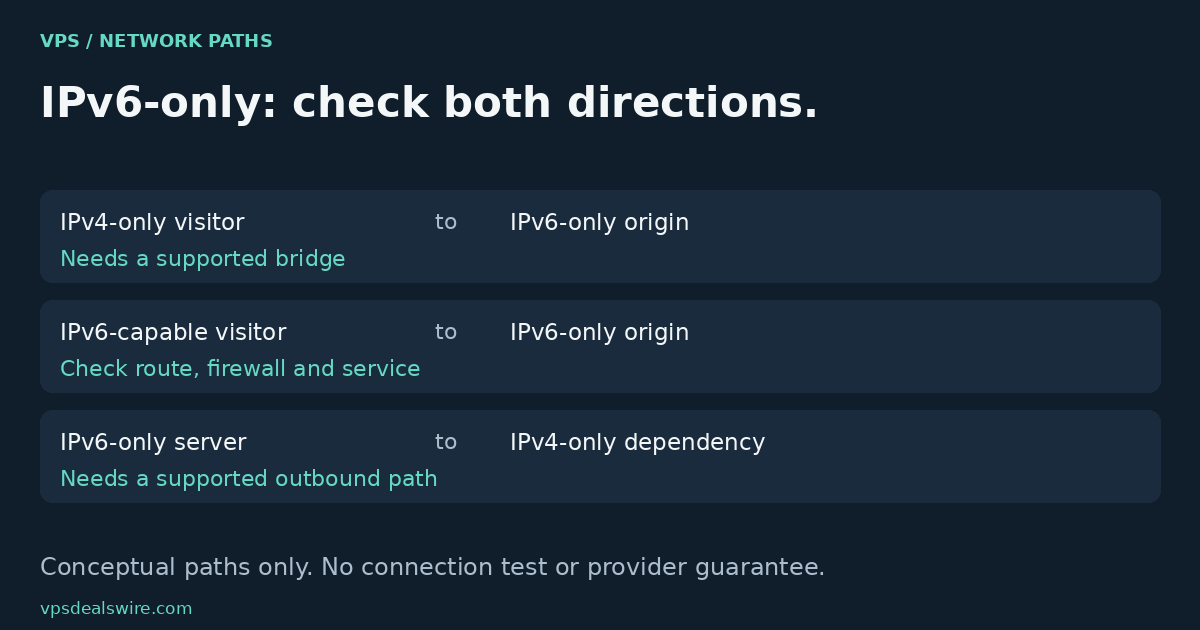
An IPv6-only VPS is suitable only when the connections you need can reach it and its outbound dependencies remain reachable. Check your visitors, administrative access, external APIs and recovery path separately. An AAAA record describes an IPv6 address; it does not give an IPv4-only client a direct IPv6 connection. A translation service or proxy can change the design, but only if it actually supports your traffic.
In this guide
Separate an address allocation from a working service
Look at what the plan actually includes, rather than assuming that “IPv6 supported” means “IPv6 only.” A plan may have both address families, an optional IPv4 allocation or a particular network arrangement. Record which applies before comparing its total cost. This guide quotes no plan price or promised savings.
Hetzner’s Primary IP documentation distinguishes IPv4 and IPv6 resources and explains their assignment. DigitalOcean’s IPv6 overview describes enabling IPv6 on its Droplets. These are provider-specific references, not evidence that every VPS includes the same allocation, routing or configuration.
An assigned address is only part of the path. The operating system needs the appropriate configuration, the application must listen where intended, and network and host firewalls must permit the service. A successful control-panel login does not establish that a public application is reachable.
Check inbound visitors and administration separately
List who must connect directly: website visitors, your SSH client, monitoring systems and any remote service that initiates connections to your server. Identify whether each has usable IPv6 connectivity. A laptop’s home network and the mobile connection used during an outage can differ, so do not assume one successful access path covers both.
Publishing an AAAA record helps clients discover an IPv6 address. Publishing an A record requires an appropriate IPv4 destination; inventing a value does not solve a missing network path. Dual-stack client behavior, including connection attempts across available address families, is discussed in RFC 8305. That behavior cannot manufacture an address family the client cannot use.
If you plan to use a reverse proxy or other front end, verify support for the actual protocol, port, origin address and account configuration. A web proxy is not automatically a route for direct SSH, mail or arbitrary TCP services. Keep a documented administrative path instead of relying on the website’s proxy arrangement.
Check the server’s outbound dependencies
Now reverse the question: what must the VPS contact? Package repositories, container registries, payment APIs, webhook destinations and external databases can have different address-family support. An IPv6-capable website does not prove that every API endpoint or download host of the same organization is reachable over IPv6.
RFC 6146 describes stateful NAT64, allowing IPv6-only clients to contact IPv4 servers through a translator. It does not promise that your VPS provider supplies one, that every application works unchanged, or that the same arrangement permits arbitrary unsolicited inbound connections. Ask about the available translator and DNS behavior instead of assuming they exist.
Create a small dependency checklist containing the actual hostname, protocol, direction and required access path. Mark unverified items as unresolved. No connectivity commands or remote tests were executed for this article, and the diagram contains no measurements.
Keep a recovery path that does not depend on the broken service
Before changing a working network configuration, confirm the provider’s console or rescue options and the account access needed to use them. The managed-versus-unmanaged guide helps define who handles administration; this article focuses on address-family compatibility rather than a firewall repair procedure.
Use the VPS comparison to build a shortlist, then verify each provider’s current network documentation against your inbound and outbound checklist. Prefer a configuration that supports the required connections over an attractive label whose dependencies remain unknown. The location-selection guide addresses a separate question: which region fits the workload after a usable network path exists.