Published 2026-10-25
How to Choose a VPS Location for Lower Latency
Choose a VPS location by measuring the path between your users, the server, and its important dependencies. The geographically nearest city is a candidate, not a guarantee of the lowest application latency. Routing, peering, connection setup, and the application's own work also contribute.
In this guide
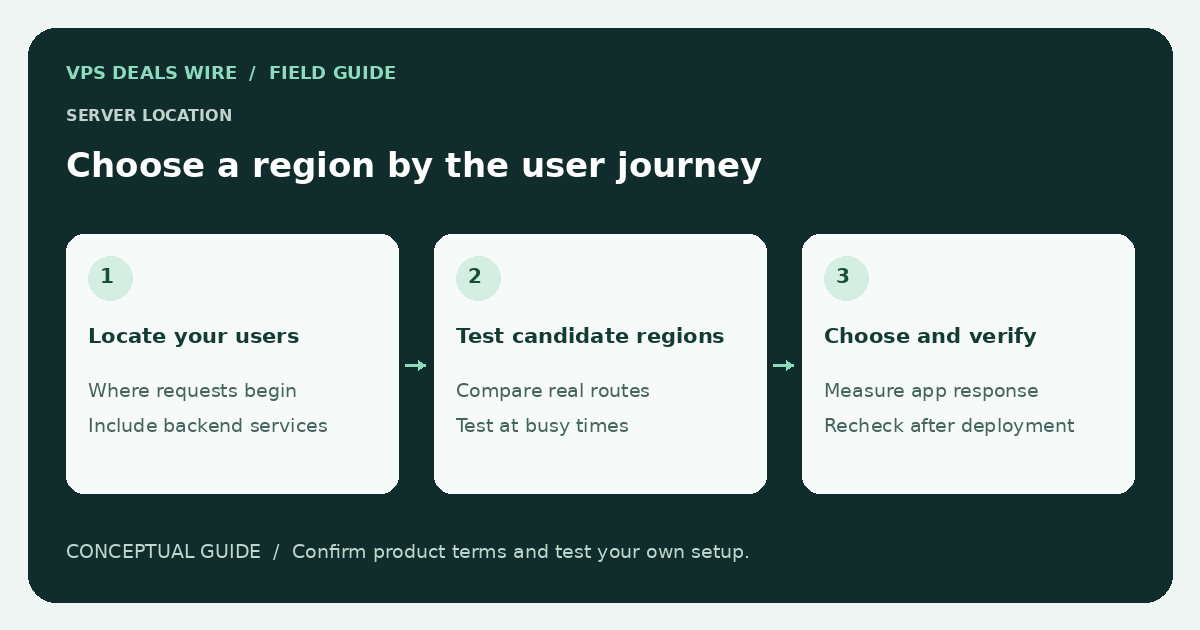
A region decision is easier to change before you attach production data and users to a server. Before ordering, check whether the provider can move an instance between regions or whether you would need to create a new server and migrate it yourself.
Map the requests that matter
Identify where the people using the service are located. Then identify its database, object storage, authentication service, and other backends. A web server close to a visitor can still be slow if each request makes several round trips to a distant database.
For an administrative tool used by one person, the administrator's path may dominate. For a public website, consider the primary audience. A CDN can change how static assets reach visitors, but it does not automatically move a database or eliminate every dynamic request.
Use the provider's documented test endpoints
Look for an official looking glass, test IP, or speed-test endpoint for the exact region. Follow its usage rules and use a small number of ordinary tests. A provider's corporate homepage might be hosted elsewhere, so testing it is not evidence about the VPS location.
Ping measures a particular network response, not page load time. Some networks deprioritize or filter ICMP. Supplement network observations with a representative HTTP request when an appropriate test endpoint is offered. Never stress someone else's server or scan unrelated addresses to choose a region.
Compare the same thing across candidates
Record the source network, destination region, test time, and method. Repeat at different ordinary usage times instead of relying on a single favorable result. Keep packet loss and variability separate from average latency. These observations describe your tested paths, not every possible visitor's experience.
If a plan permits evaluation after purchase, test the actual application before committing production traffic. Review the refund checklist first; do not assume trial access, refunds, or free migrations are included.
Check location constraints beyond speed
Confirm the advertised region is available for the product and operating system you want. Ask how backups, replicas, and support access are located if those details matter to your requirements. A city name alone does not establish compliance with a particular law or customer contract.
Finally, keep a recovery path. Document how you would move data, update DNS, and validate HTTPS if the region proves unsuitable. The migration checklist explains the sequencing for a website. Use the provider directory to verify region and transfer terms at the source.