Published 2026-10-15
Managed vs Unmanaged VPS: Which Should You Buy? A Decision Guide With Real Prices
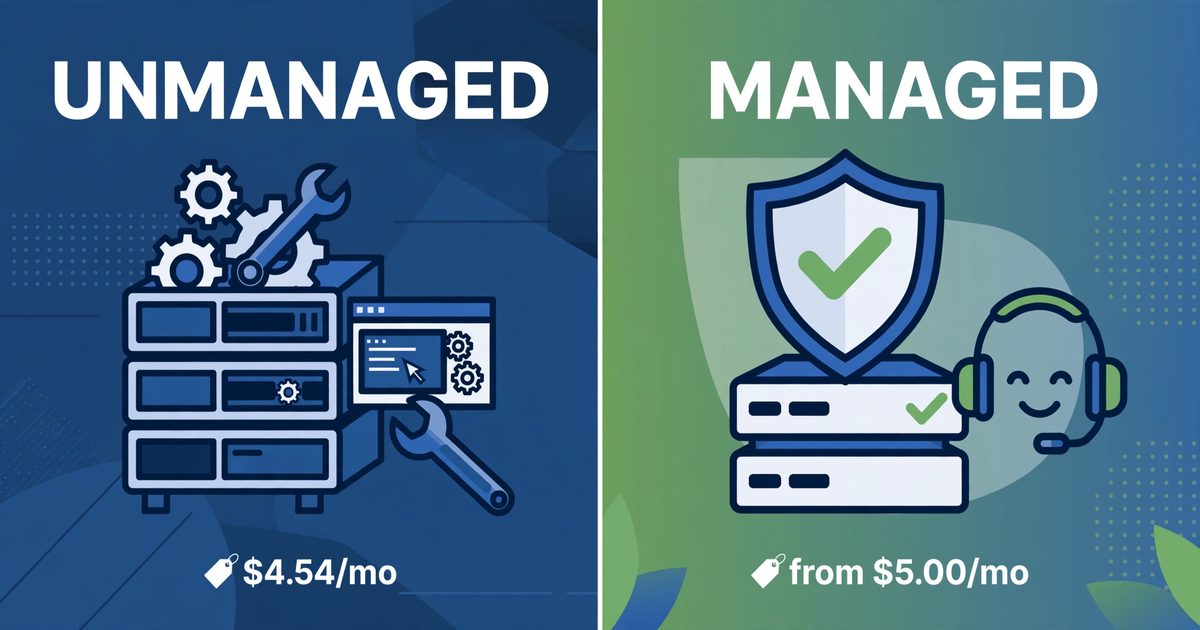
Short answer: at the entry level, the price gap is nearly zero — the real gap is your time. We scraped 214 live VPS offers across 26 providers on 2026-10-14. The median cheapest entry plan costs $4.54/month, and 15 of the 23 providers with a monthly USD plan start at $5.00 or less. That is the unmanaged world: almost every cheap VPS you can buy is unmanaged — only 2 of the 214 price cards even contain the word "managed". But here is the twist in the same snapshot: LiquidWeb, a fully managed VPS host and one of the three sites we benchmark against, lists VPS hosting starting at $5.00/month — basically the same ballpark as the unmanaged median. So "managed" does not automatically mean expensive. It means you are shopping a different shelf, and the honest math below is how you decide which shelf is yours.
In this guide
| Option | What our 2026-10-14 snapshot says (214 offers, 26 providers) | Who does the sysadmin work |
|---|---|---|
| Unmanaged entry (median of 23 providers) | $4.54/mo; 15 providers at $5.00 or less | You: patching, firewall, backups, monitoring |
| Managed entry in our feed (LiquidWeb) | from $5.00/mo (12 rows tracked) | Provider: patching, monitoring, 24/7 support |
| Managed layer over cloud (Cloudways via DigitalOcean) | from $11.00/mo | Provider manages the stack; you keep the app |
| "Managed" mentions across all 214 cards | 2 rows (0.9%) — one is literally "self-managed" | The cheap-VPS market is ~99% unmanaged |
The 60-second decision: three questions
Skip the feature-by-feature debate. A recent hosting guide we read frames it as a three-question rule, and it is the best 60-second test we have seen — paraphrased here in our own words:
- Do you have reliable server-admin capacity? If nobody on your team can patch a kernel vulnerability or diagnose a crashed database at midnight, that answers the question by itself.
- Would downtime cost more than the management premium? An online store losing checkout sales every minute it is down should pay the premium without a second thought. A hobby blog can wait.
- Do you value full-stack control over convenience? Custom kernel modules, non-standard runtimes, or OS-level packages outside a vendor's supported stack — that is unmanaged territory.
Two more gut checks worth 30 seconds each. From a managed-hosting guide: "If the server broke right now, would I enjoy fixing it?" Yes means unmanaged; no means managed. And from a self-hosting essay we liked: time yourself rebuilding your server from scratch. If the number is bad — or only one person on your team can produce it — you have just measured the reason to pay for managed. Configuration is the easy half; the qualifying skill is reconstruction under pressure.
The real cost math (with our numbers)
The headline comparison flatters unmanaged. The honest comparison adds the lines the pricing card omits. Industry FAQs put the typical managed premium on a budget box at $10–$30/month over an equivalent unmanaged plan (an external figure, not from our feed). Against our tracked median of $4.54/mo, that makes a managed-equivalent box $14.54–$34.54/month — 3.2x to 7.6x the unmanaged entry. But remember the twist from the table above: an actual managed entry plan (LiquidWeb) starts at $5.00 in our own data, so the premium is a choice, not a law — it grows as you move up the spec ladder.
Now price the unmanaged side honestly. Automatic backups are commonly a $2–$20/month add-on, control-panel licenses cost extra, and hired server help runs $50–$150/hour (all external figures from hosting cost guides). The arithmetic that matters: one two-hour incident at the low end of that range is $100 — 22 months of our $4.54 median box. At the high end, $300 is 66 months. The $4.54 is the cheapest line on either invoice. The expensive line is always time.
One more data point from our feed: the cheapest annual-style prepay deals come with no refund window at all in the budget tier (a well-documented community FAQ answer for the cheapest yearly plans). Treat any annual prepay as a small sunk-cost experiment — test on a monthly plan first, then commit.
What "managed" actually covers — and what it doesn't
Managed typically means the provider owns OS patching, the baseline security hardening, monitoring, and backups, and support often extends into the application layer instead of stopping at the network edge. Unmanaged means you own all of that, and provider support usually covers only the physical host and the network — if the problem is inside your VPS, it is your problem. Two honest caveats: managed plans often limit or scope your root access, and managed hosting does not inherently make anything faster — performance follows the underlying instance and your caching layer, not the management label.
Scenario picks: who should buy which
- Solo developer / side project / staging box → unmanaged. This is the classic $4.54 box. One community guide puts it bluntly: people overpay $40/month for years out of command-line fear when their workload would have been fine on a $5 unmanaged VPS plus a weekend of learning.
- Learning Linux properly → unmanaged. It is a practical lab that happens to host things. Budget a weekend, not an afternoon.
- Online store, client sites, anything that pays rent → managed. Downtime has a dollar figure here, and it dwarfs the premium. This is question two answering itself.
- Production app with a technical team → unmanaged only if the restore path is tested. Run the rebuild drill from the section above. Automated, rehearsed, timed in minutes — fine. Otherwise, managed.
- First VPS ever, coming from shared hosting → either, with eyes open. Unmanaged is learnable, but if the site earns money from day one, pay for managed while you learn on a second box.
Going unmanaged without getting burned: the first-week checklist
If the three questions point you at unmanaged, these five items are the difference between a $4.54 bargain and a $300 incident. All are public, standard practice — no exotic tooling:
- Automatic security updates on day one. Enable unattended upgrades and a reboot window you choose while awake — then verify the service is actually enabled, not merely installed.
- Firewall before anything else. SSH, HTTP, and HTTPS open; everything else closed. SSH keys only, password login disabled.
- Offsite backups with a tested restore. A backup you have never restored is a rumor. Do one full restore drill in week one and time it.
- Uptime monitoring. Free external ping checks catch the outage before your visitors tell you about it.
- Document the rebuild. The commands that built the server, in a text file, somewhere that is not the server. This is the artifact the restore drill measures.
Can you switch later?
Upgrading the plan with the same provider is usually a non-event: in-place upgrades that take effect after a reboot, about a minute of downtime, no reinstall. Moving from unmanaged to managed (or the reverse) is a migration to a new box — plan a maintenance window. And note the lock-in asymmetry: the cheapest annual prepay plans have no money-back guarantee, so don't put the production database on a brand-new yearly box on day one. Test monthly, commit annually.
Our take
If we were spending our own money: hobby, learning, and side projects get the $4.54 unmanaged box and a weekend. Anything that pays rent gets managed — or unmanaged only after a timed restore drill comes back in minutes. The most expensive mistake in this whole guide is not picking the wrong type; it is picking unmanaged for the headline price and then paying for it in unmeasured hours. Our three benchmark sites all explain the managed-vs-unmanaged difference, but none of them gives you a purchase decision tree — that is the gap this guide was written to fill, and the numbers above are all from our own 2026-10-14 price feed unless marked otherwise.