Published 2026-10-28
Can a Cheap VPS Send Email? Check SMTP First
A VPS can run mail software, but that does not mean its network permits your intended email delivery or that recipients will accept it. Check SMTP restrictions, reverse DNS, sending policies, and the address's reputation before buying for legitimate application mail.
In this guide
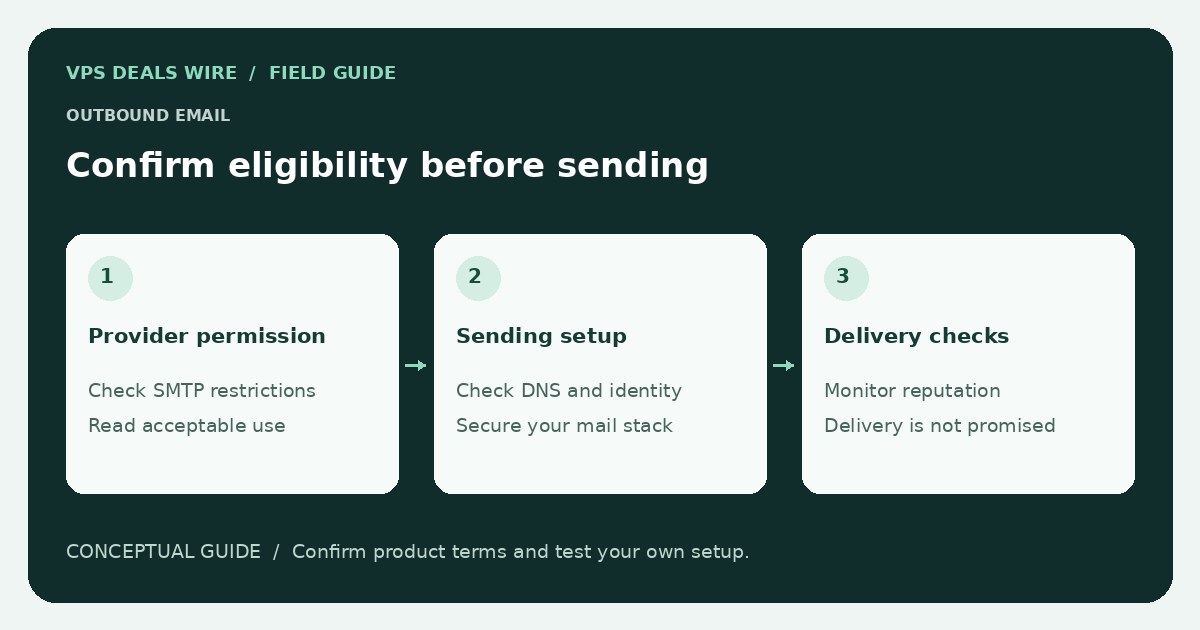
If the application only needs password resets or order notifications, compare direct delivery with an authorized transactional email service. The appropriate option depends on control, maintenance effort, provider terms, and actual delivery requirements—not just the VPS price.
Check the network policy before ordering
Ask whether outbound SMTP is restricted on the selected product and region. If an exception process exists, find out what verification is required and whether approval is guaranteed. Never assume that renting a server grants permission to send any volume or type of email.
Provider rules vary. Read the acceptable-use policy and describe your legitimate use case accurately. Do not attempt to bypass a port restriction, rotate addresses to evade controls, or send unsolicited mail as a test.
Confirm what you can configure
For direct sending, check whether you can request reverse DNS for the assigned address and whether the provider offers a documented process for changing it. Confirm ownership and DNS configuration for the sending domain, and understand the role of SPF, DKIM, and DMARC before expecting reliable delivery.
These mechanisms help recipients evaluate a message; they do not guarantee inbox placement. A VPS provider's network availability promise is also not an email delivery guarantee.
Evaluate reputation without making assumptions
An address may have a history before your account receives it. Check the provider's address-replacement policy and use the relevant reputation service's own lookup process if a delivery problem appears. A listing on one service is evidence to investigate, not proof that every mail provider rejects the address.
Keep delivery logs, timestamps, and non-sensitive error responses. Test only with addresses you control or recipients who explicitly agreed to receive the test. Do not publish private recipient addresses or message contents in a support ticket unnecessarily.
Compare the full operating cost
Operating a mail service includes updates, queue monitoring, abuse handling, bounce processing, and recovery. A managed sending service may instead charge according to its own usage and feature terms. Check current published terms; this guide does not invent a free allowance or quote a delivery rate.
For broader server responsibilities, read the managed versus unmanaged guide. Use the provider directory to open official policies before ordering.
Whichever route you choose, keep permission to send separate from the server purchase. Send the mail users actually requested, provide the controls appropriate to that mail, and monitor delivery rather than treating a successful API request as proof of receipt.