Published 2026-10-29
Does a Cheap VPS Need a Paid Control Panel?
A VPS does not automatically require a paid control panel. You need a way to administer the software, accounts, certificates, and backups your service uses. A panel can simplify parts of that work, but its license and support scope belong in the full cost comparison.
In this guide
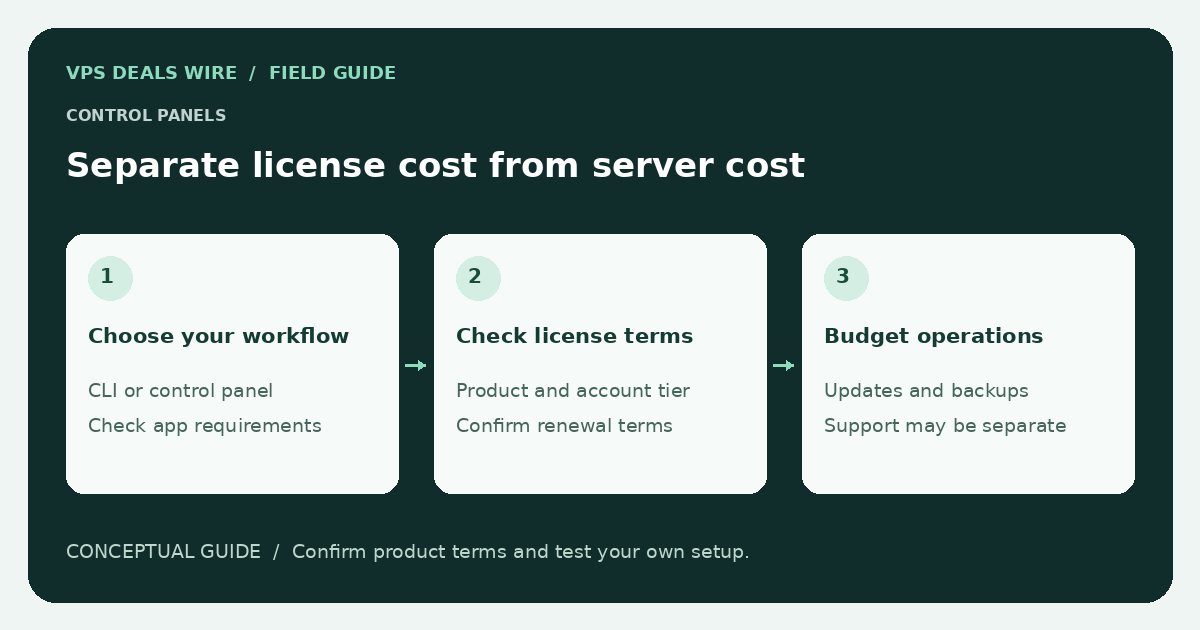
This guide does not quote panel prices or claim one product is the best. Product editions, billing terms, and included features change. Verify them with the panel vendor and the hosting provider before ordering.
Start with the tasks you need to perform
List the actual services: websites, databases, certificates, user accounts, mail, monitoring, and backups. Then identify who maintains each one. A simple application deployment may not need the same management interface as a server hosting several independent customer accounts.
Using direct administration instead of a panel does not eliminate maintenance. You still need updates, access control, recovery procedures, and a way to diagnose failures. The support-responsibility guide helps separate hosting from administration.
Read the license scope, not only the first invoice
Check which edition you would receive, what it allows, and whether limits apply to accounts, websites, or other resources. Ask whether the license is bundled with the VPS, added as a separate line item, or purchased directly from the software vendor.
Confirm how renewal works and what happens when the server or license is cancelled. Do not assume a provider's included panel is transferable to a different host. If you may need to move, ask about export formats and migration tools before building a dependency on the product.
Separate software features from a managed service
A panel can expose a backup button without providing independent off-server backups. It can manage certificates without guaranteeing every application is securely configured. It may include update tools without making the hosting provider responsible for the resulting software stack.
Read both support policies. Check who handles panel errors, web application failures, compromised accounts, and restoration. Keep an independent recovery plan even when a familiar interface makes the server feel managed.
Evaluate a free alternative carefully
A free or open-source panel still needs a supported operating system, updates, access restrictions, and a person responsible for it. Confirm its maintenance status and documented migration path. Do not install multiple competing control panels on a production system just to compare interfaces.
When testing is permitted, use a disposable environment with no customer data and follow the product's official instructions. This guide reports no hands-on test of a panel.
Combine the verified VPS amount and any required license terms in your renewal-cost comparison. Use the provider directory for official plan links and make the administration choice before treating a headline price as your final cost.