Published 2026-10-24
Shared vCPU VPS: Check CPU Fair-Use Limits
Before buying a shared-vCPU VPS, check whether the provider permits sustained CPU use, how it defines excessive usage, and what happens when you reach that limit. A vCPU count describes virtual processing resources; it does not by itself promise a dedicated physical core or uninterrupted access to a particular amount of compute.
In this guide
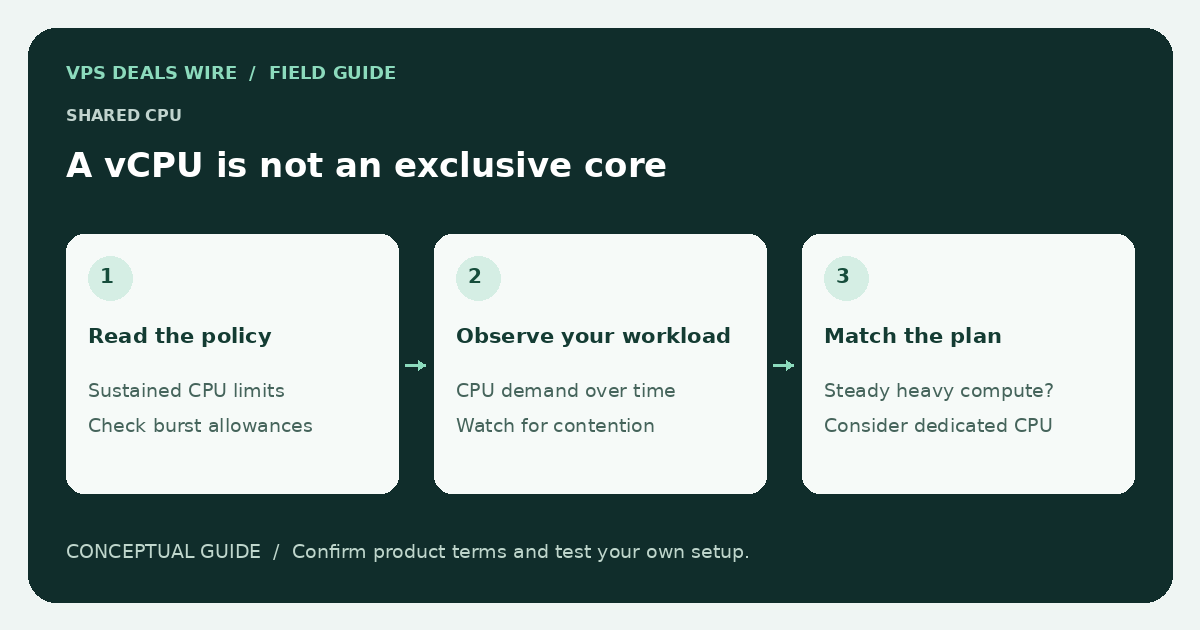
This matters when comparing cheap VPS plans for compilation, background workers, or scheduled processing. A plan that is sufficient for an occasionally busy website may have different terms for an always-busy process. Read the actual product description and acceptable-use policy together.
Separate the resource name from the resource guarantee
Write down whether the offer says shared CPU, dedicated CPU, burstable compute, or simply vCPU. Those phrases are not interchangeable, and a provider may define them differently across product families. If the sales page leaves the distinction unclear, ask support which document states the allocation policy.
Do not assume that two equally numbered plans deliver the same processing performance. Processor model, host contention, virtualization settings, and workload characteristics can all affect the result. This guide reports no performance test and assigns no provider a benchmark score.
Ask about the workload you actually intend to run
- Is sustained high CPU utilization allowed on this product?
- Does the provider use a documented threshold, rolling window, or credit system?
- Does exceeding it cause throttling, a warning, suspension, or an upgrade request?
- Are particular workloads prohibited even when they fit within the advertised resources?
A useful support question names your application, its normal duty cycle, and its peak behavior. “Can I run a build worker that compiles periodically?” is more informative than “Is CPU unlimited?” Keep the reply alongside the product terms, but do not interpret an informal answer as a replacement for the contract.
Evaluate after purchase without abusing the host
First confirm the provider's testing policy. Run a representative application task rather than an unbounded stress loop. Observe completion time, application latency, and any utilization information the provider exposes. Guest CPU steal time can be a diagnostic clue, but one measurement does not prove deliberate overselling or establish a general uptime claim.
Keep timestamps and compare like-for-like runs under similar conditions. If performance is inconsistent, share observations with support before making assumptions about the cause. Follow the refund policy if the product is unsuitable; never rely on a refund that the terms do not offer.
Choose the right trade-off
For a service that needs predictable sustained compute, compare explicitly dedicated resources and application-level alternatives. For a lightly used service, a shared plan may still be appropriate. Make the decision from workload requirements and written limits, not a low headline price alone.
Start with the VPS sizing guide, then use the provider directory to open official pricing and policy pages. Treat any amount without a confirmed billing period as a source observation, not a verified monthly plan.