Published 2026-11-04
VPS Storage Persistence: Stop, Rebuild, or Delete?
Before storing important data on a VPS, verify what survives each lifecycle action: stopping, restarting, rebuilding, deleting, and host failure. Persistent storage does not automatically mean backed up, and a snapshot does not automatically survive deletion of its associated resources.
In this guide
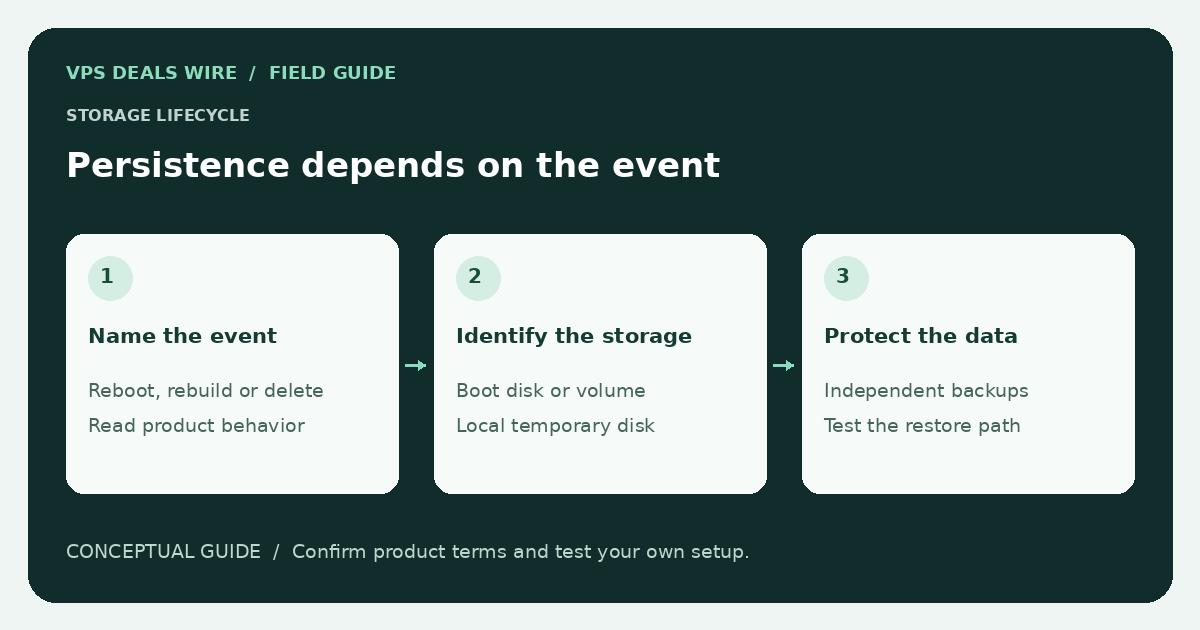
These details vary by product. This guide does not claim that any named provider preserves or destroys data in a particular action. Its purpose is to help you build a product-specific recovery map from official documentation.
List each storage resource separately
Identify the boot disk, attached volumes, temporary storage, snapshots, backups, and external object storage. Record where the application actually writes its database, uploads, configuration, and logs. A server can contain several storage types with different behavior.
Check whether the operating-system image mounts a resource automatically and whether a mount failure could cause the application to write somewhere unintended. A name such as “cloud storage” or “SSD disk” is not sufficient evidence about lifecycle behavior.
Build a lifecycle checklist before using the buttons
For each resource, document what the official terms say about a normal reboot, a stopped instance, an operating-system rebuild, and deletion. Add any separate volume-detachment or snapshot-deletion actions. If the documentation is silent, ask support and leave the answer unknown until verified.
Do not test a destructive action on your only copy of production data. If an evaluation is needed, use a disposable environment and data you can afford to lose. Read the confirmation screen carefully; similarly named controls do not have identical effects across providers.
Separate host failure from user action
Replication or storage redundancy may address a particular infrastructure failure without protecting against accidental deletion, compromised credentials, or an application corrupting its data. Understand which failures a product describes and which ones your own backups must cover.
The backup guide explains why a recoverable independent copy matters. Check whether you control the backup account and whether recovery depends on the same provider dashboard as the failed server.
Make the recovery procedure practical
Record how to obtain a fresh instance, attach or restore data, apply configuration, and verify the service before changing DNS. Store recovery instructions where they remain accessible during an outage. Test restoration under conditions that resemble the failures you want to handle.
When moving hosts, preserve the source until the replacement and backups are verified. The website migration checklist gives a sequencing example. Use the provider directory to find official storage and cancellation terms, then compare the full recovery requirements rather than disk capacity alone.