Published 2026-10-26
NVMe vs SSD VPS: What the Storage Label Leaves Out
Choose VPS storage from capacity, documented I/O limits, persistence, and application needs—not the NVMe label alone. NVMe describes a storage interface and protocol. A virtual server's effective storage behavior also depends on how the provider shares and limits the underlying system.
In this guide
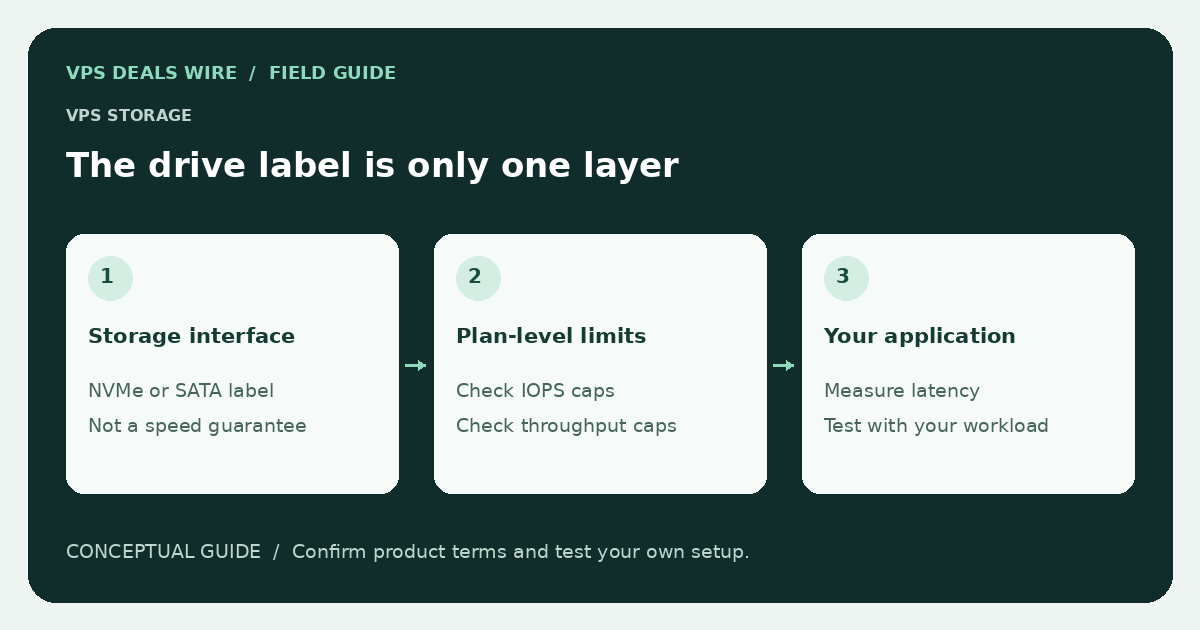
A plan can advertise modern storage while still having limits that matter to a database or busy application. Conversely, an application that rarely touches disk may gain little from changing the storage label while leaving its real bottleneck unchanged.
Write down the complete storage specification
Check the usable capacity, whether the disk is local or network-backed, and whether the advertised capacity includes the operating system. Ask whether snapshots, backups, and extra volumes consume separate quotas or incur separate charges. Verify the units rather than assuming two capacity figures mean the same usable space.
Find any published IOPS or throughput limits and their conditions. A ceiling is not a promise of continuous delivery, and a short burst result is not a sustained performance guarantee. If limits are not documented, record them as unknown rather than filling in an estimate.
Match the evaluation to the application
A database doing many small synchronous writes is different from a service reading large sequential files. Small application logs, package upgrades, and backups create their own patterns. Understand whether the workload needs space, low latency, sustained throughput, or some combination.
Start with application measurements. Inspect slow requests, database behavior, and memory pressure before blaming storage. A service short of RAM may spend more time paging, so a resource sizing review belongs before a storage upgrade decision.
Test only where testing is permitted
Check the provider's acceptable-use policy before running storage benchmarks. A heavy write test on a shared service can affect others and may violate its terms. Avoid tests that fill the filesystem or overwrite existing data. There is no benchmark result in this guide, and no provider is being ranked by unperformed tests.
When an evaluation is allowed, document the tool, file location, dataset, runtime, and application context. Cached reads can look very different from uncached reads; an isolated result is not a complete picture of durability or normal application responsiveness.
Keep persistence and backup separate
Fast storage is not a backup policy. Read what happens on a host failure, rebuild, migration, or server deletion. Check whether recovery is promised and what evidence supports that promise. Maintain an independent backup appropriate to the data's value.
The backup guide explains the buying questions to ask. Use the provider directory to verify storage details on official pages, then compare plans with the same billing period and currency.